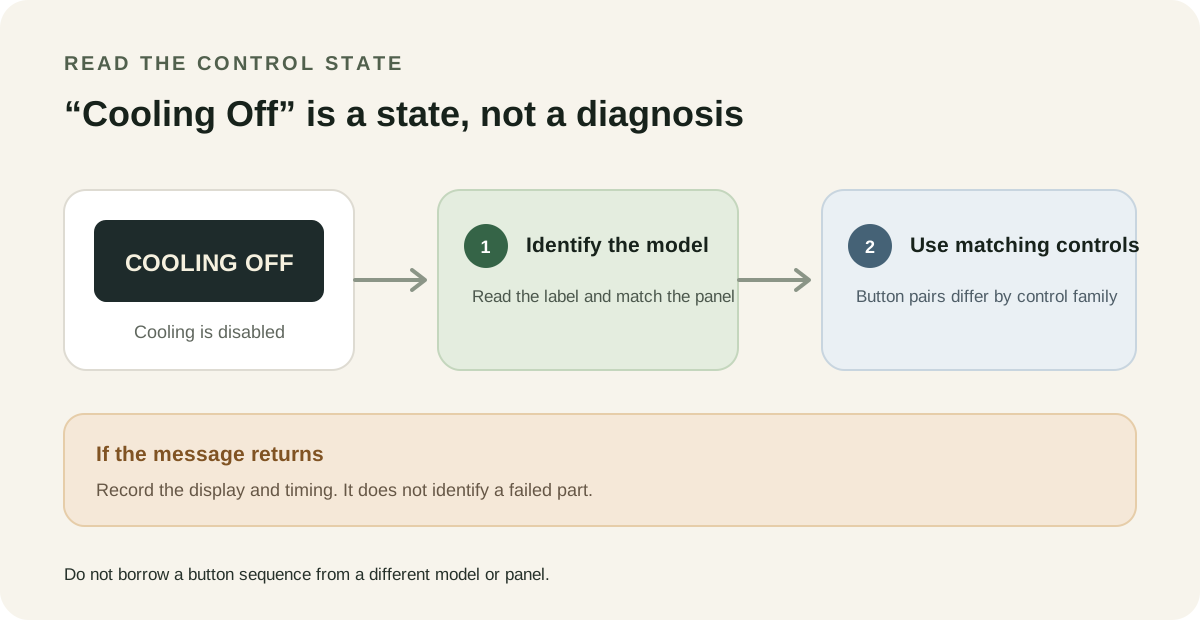
If your KitchenAid refrigerator displays Cooling Off, the refrigerator and freezer are not cooling because the cooling function is switched off. The lights or display alone do not tell you which button sequence applies. That depends on the control panel fitted to your exact model. Identify the model first, then use only the matching instructions.
What the message means
The message describes the refrigerator’s cooling state. It does not, by itself, identify a failed compressor or control board. A control can be switched off while other parts of the refrigerator still respond.
Some refrigerators need cooling turned back on after a power interruption, and the setting can also be changed accidentally while cleaning. Those are reasons to check the displayed mode first. If the message keeps returning after the correct model-specific reactivation, the display still does not tell you why it returned.
Match the control pair to the panel
KitchenAid uses more than one control layout. The same brand name is not enough to choose a button combination. Match the labels on your panel and the instructions for your exact model.
| Control layout shown in the matching instructions | What that layout says to do | Limit |
|---|---|---|
| Side-by-Side panel with LOCK and MEASURED FILL | Press and hold both buttons at the same time for 3 seconds to change the cooling state. Repeat the same hold to turn cooling back on. | Applies only to the matching Side-by-Side control family. |
| Panel with a TEMP control marked for a hold | Press and hold TEMP for 3 seconds to turn cooling off or back on. | This is a different control layout; do not substitute it for another panel’s instructions. |
| Panel with two TEMPERATURE buttons | Press and hold both buttons together for 3 seconds. The display shows or clears “Cooling Off” as the state changes. | Do not confuse two separate TEMPERATURE buttons with a single TEMP control. |
| Stealth-style panel with LOCK and RESET FILTER | Press and hold those two buttons together for 3 seconds to turn cooling on or off. | Use this only when your exact model’s instructions match that panel. |
The button labels matter. On one layout, two buttons must be pressed together; on another, a single TEMP control is held. Randomly trying combinations can change other settings or lock the controls.
A safe way to check the mode
- Write down the exact words or symbols shown on the display. “Cooling Off” is different from an unfamiliar temperature reading or a blank display.
- Find the refrigerator’s model number and open the owner instructions for that model. Match the control-panel labels in the instructions to the panel in front of you.
- Use the listed sequence once. If the matching instructions say to hold two buttons together, press them at the same time for the stated interval.
- Check whether the Cooling Off message clears. If it clears but the compartments remain warm, move to the main refrigerator cooling checks rather than repeating button combinations.
Do not use a sequence just because it appears on another KitchenAid refrigerator. The displayed state is useful; the matching panel determines the action.
If Cooling Off returns
Note when the message returned, whether power was interrupted or the controls were touched during cleaning, and what the refrigerator and freezer temperatures are doing. If the same display returns after you used the exact model’s reactivation steps, stop trying other button pairs and contact product support or an appliance technician.
A returning Cooling Off message is not a component diagnosis. It tells you that cooling is again being reported as off; it does not say what changed the control state. If there is no Cooling Off message and the refrigerator light works while food warms, use the separate light-on but not cooling guide.
Quick comparison
| What you see | What it supports | What it does not prove | Next step |
|---|---|---|---|
| “Cooling Off” appears | The cooling function is switched off | That the compressor or sealed system has failed | Match the display and buttons to the exact model instructions |
| A button pair from another KitchenAid panel does nothing | The control layout may not match that sequence | That the refrigerator needs a new part | Stop trying combinations and check the model-specific instructions |
| The message clears, but food still seems warm | The displayed off state is no longer shown | That normal cooling has resumed | Check actual compartment temperatures and use the main cooling guide |
| The message returns after correct reactivation | The cooling-off state has appeared again | Why it returned or which component is responsible | Record the timing and display, then contact support |
FAQ
Does “Cooling Off” mean the refrigerator has no power?
No. The message indicates that the cooling function is off. It does not prove that every electrical function is off, and it does not name a failed part.
Can I use the same buttons on every KitchenAid refrigerator?
No. Control layouts differ. Some instructions use LOCK with MEASURED FILL, another uses a held TEMP control, another uses both TEMPERATURE buttons, and another panel uses LOCK with RESET FILTER. Follow the instructions that match your model and panel.
The Cooling Off message cleared, but the refrigerator is still warm. What now?
Do not assume the display clearing proves the compartments have cooled. Check their actual temperatures and continue with the general refrigerator checks. If the mode returns or the refrigerator does not resume cooling, contact support.
Could cleaning or a power interruption explain the message?
Either can be a reason to check the cooling control. If the message appears once, use the correct model-specific reactivation steps. If it repeatedly returns, record when it happens and get the exact model checked instead of guessing at a part.
The practical distinction is simple: Cooling Off identifies a control state, not the cause of a recurring problem. Read the exact model instructions before touching the buttons.